

CoHome
Picture opening your phone and already knowing what the household needs today
Appointments, groceries, notes, chores, and household decisions — all in one place, without anyone becoming the family secretary in a group chat.
Built for couples, multigenerational families, and anyone sharing a home and bills.
Feature
Calendar
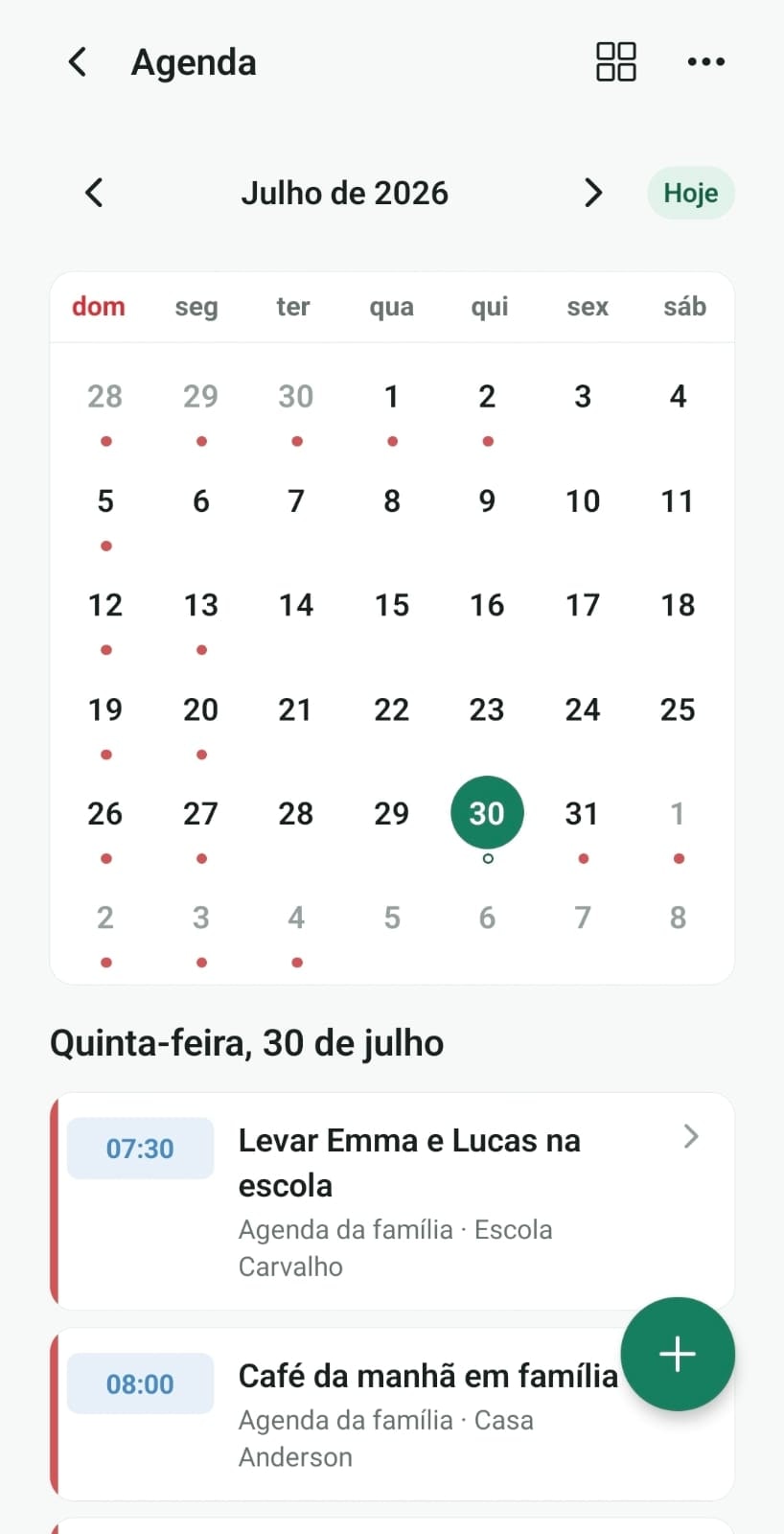
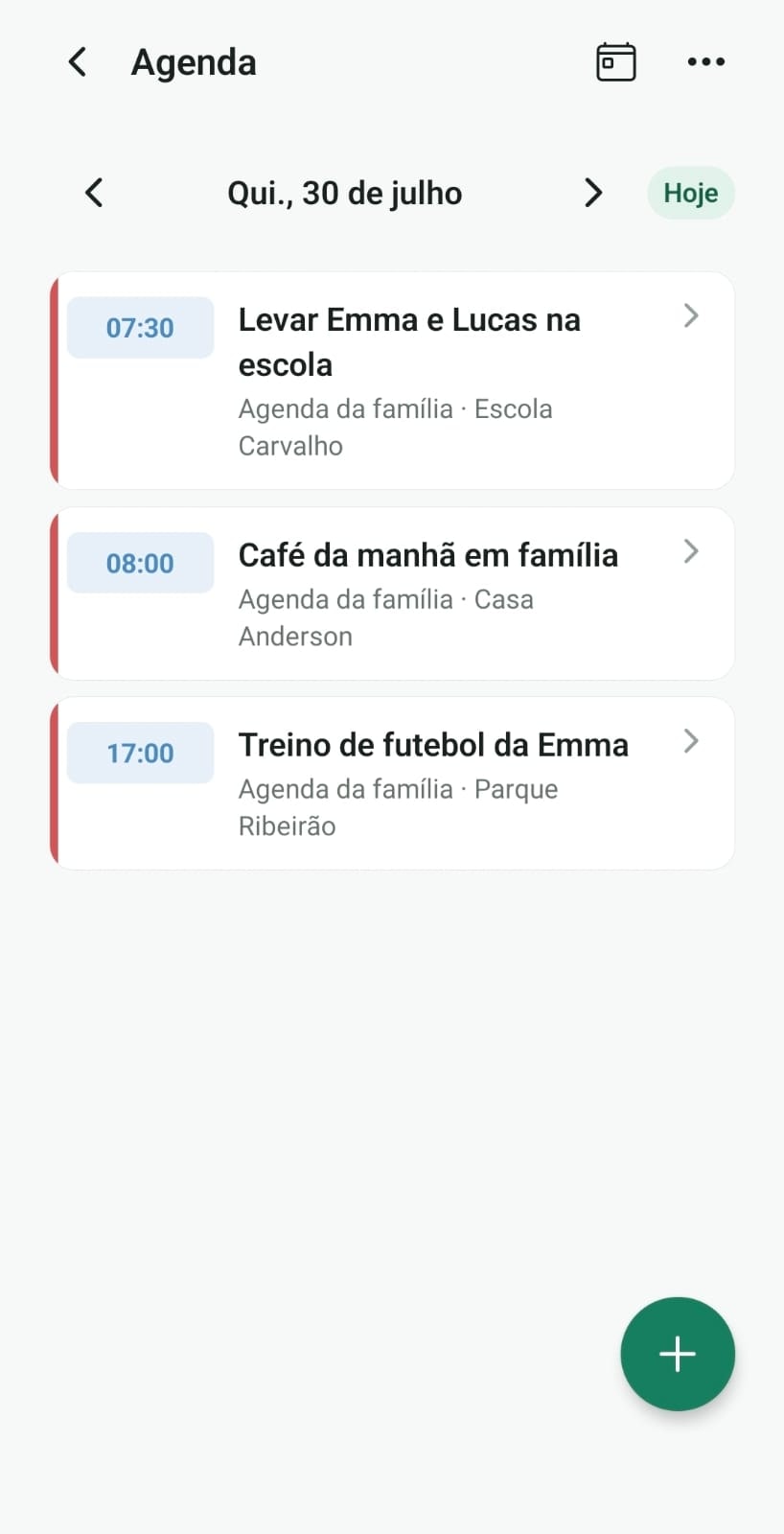
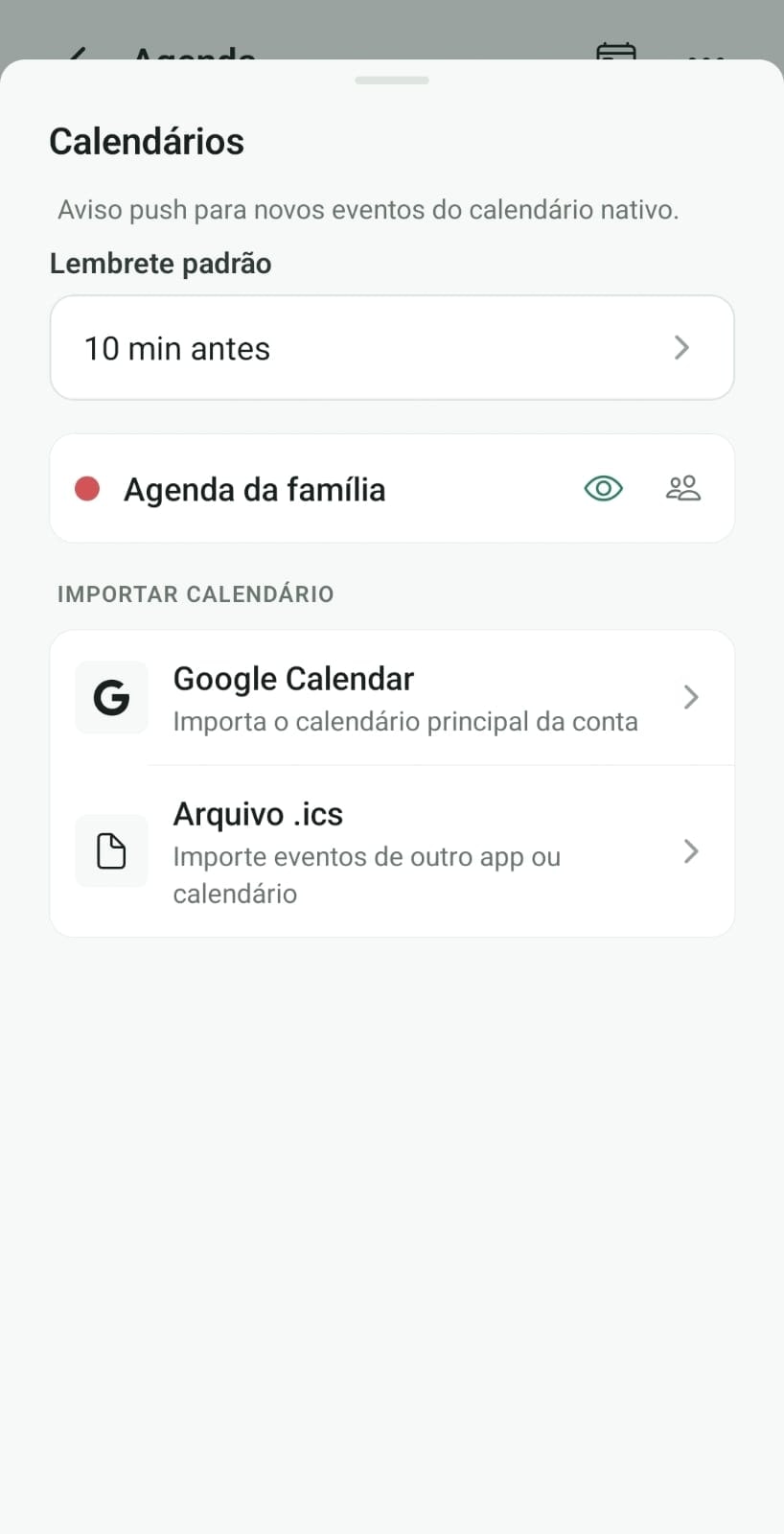
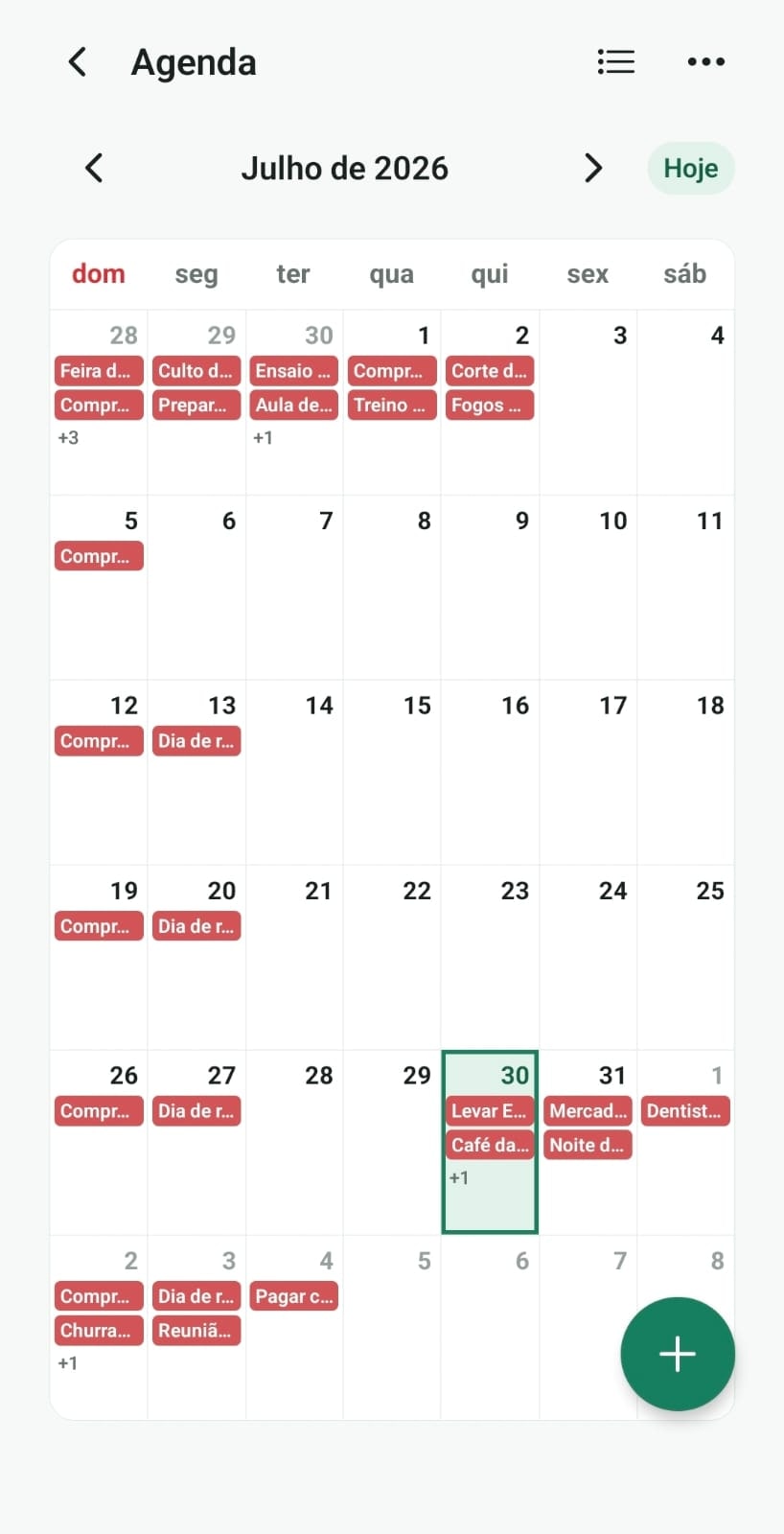
Everyone's plans in one shared calendar
Appointments, practices, school meetings, and recurring reminders stay visible for whoever shares the routine. Home shows what's left today, without asking in the group chat.
Feature
Chores
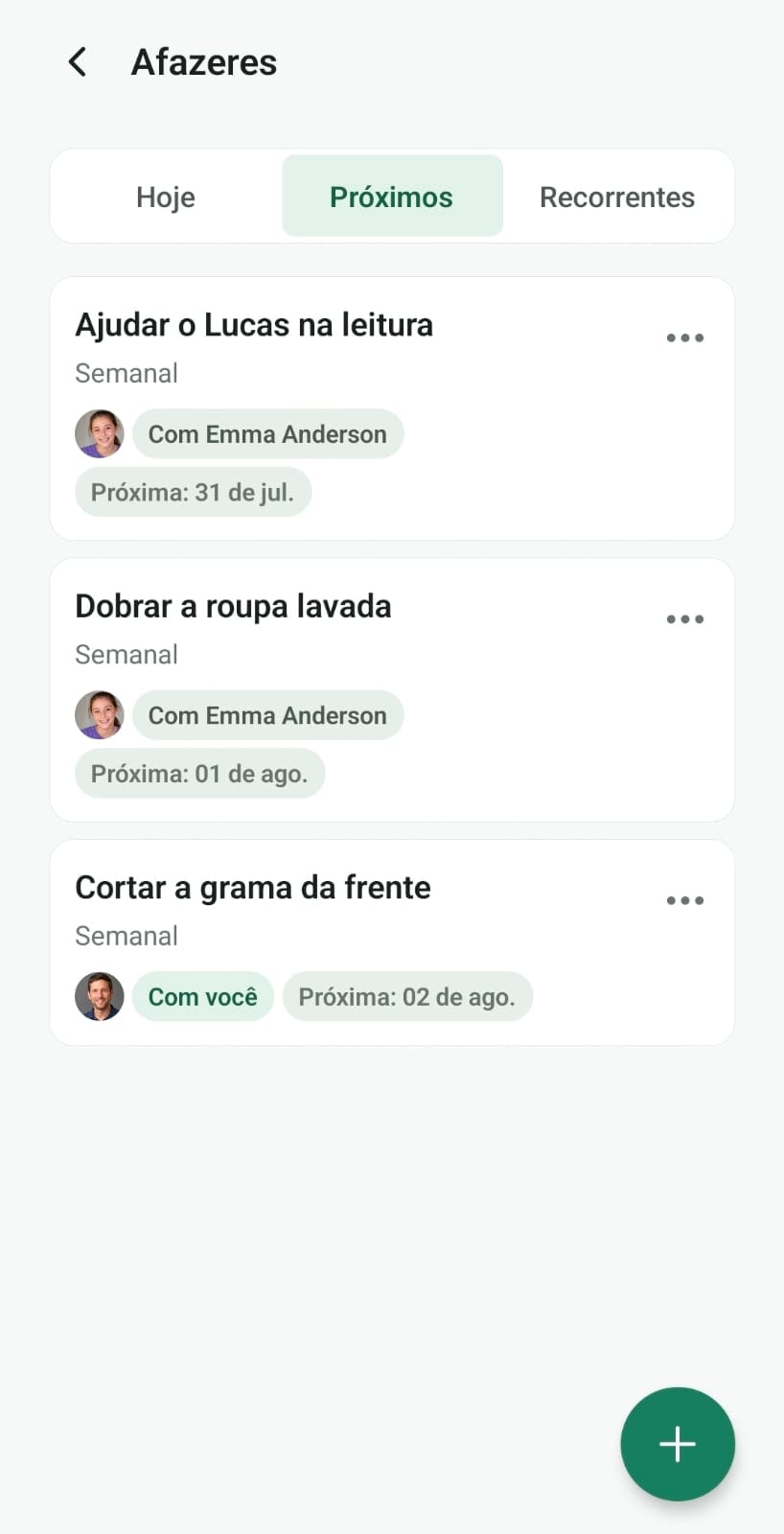
Household tasks with clear owners and visible progress
Assign chores, mark what's done, and see what's still open. Housework stops depending on one person's memory.

Feature
Routines
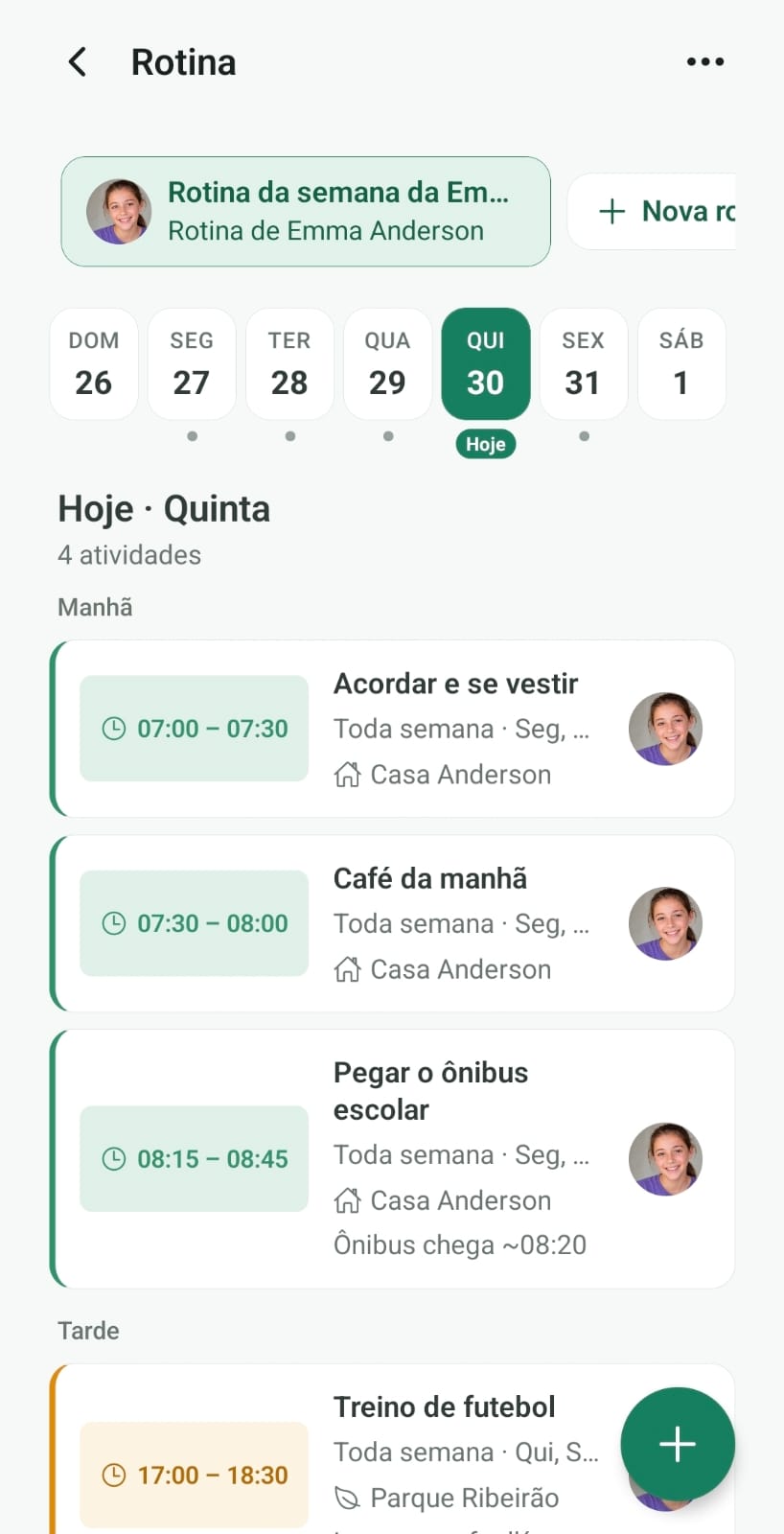
Weekly schedule per person, morning to school bus
Build fixed times with place and owner. Great for school mornings, household shifts, and weekly rituals.
Feature
Lists
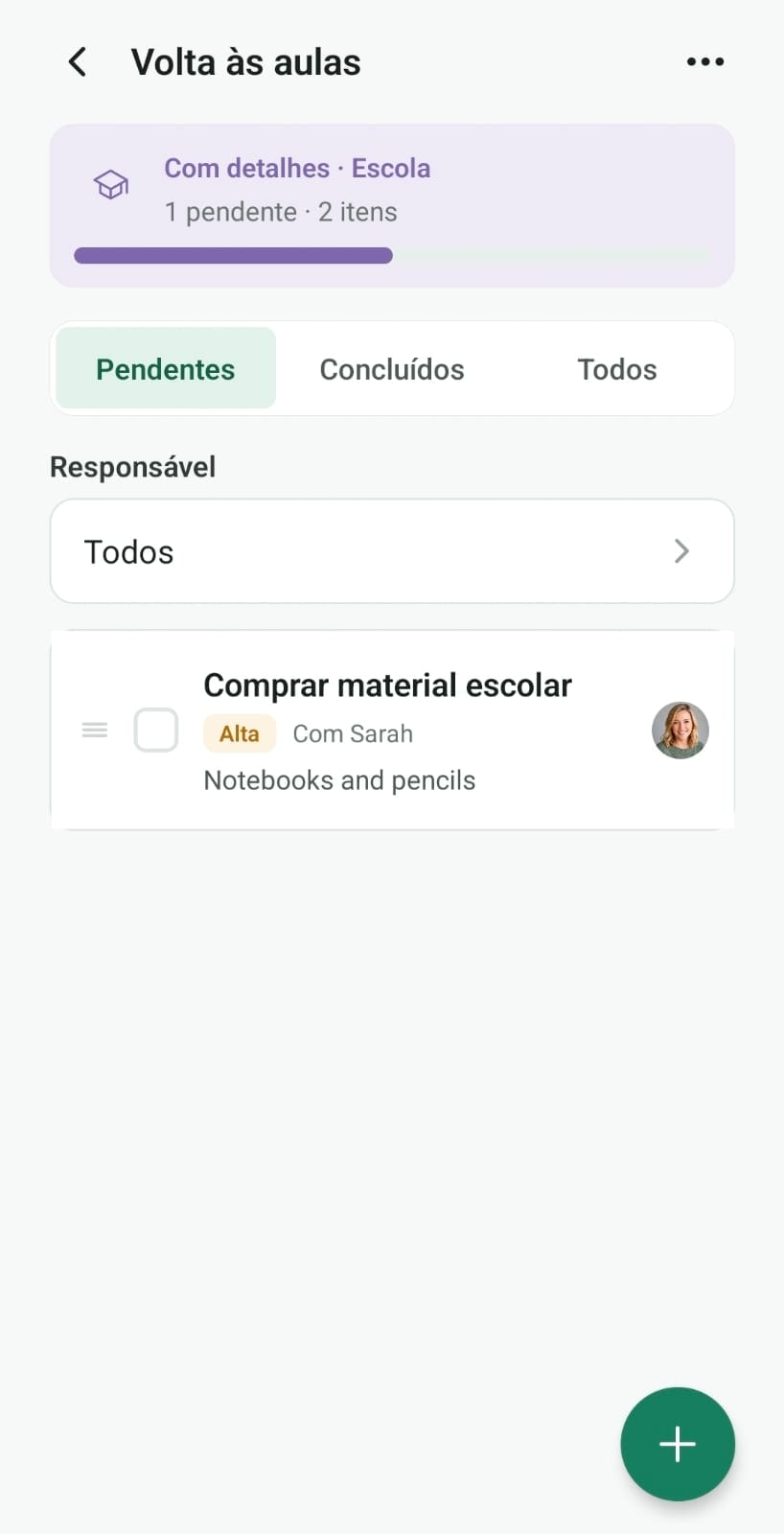
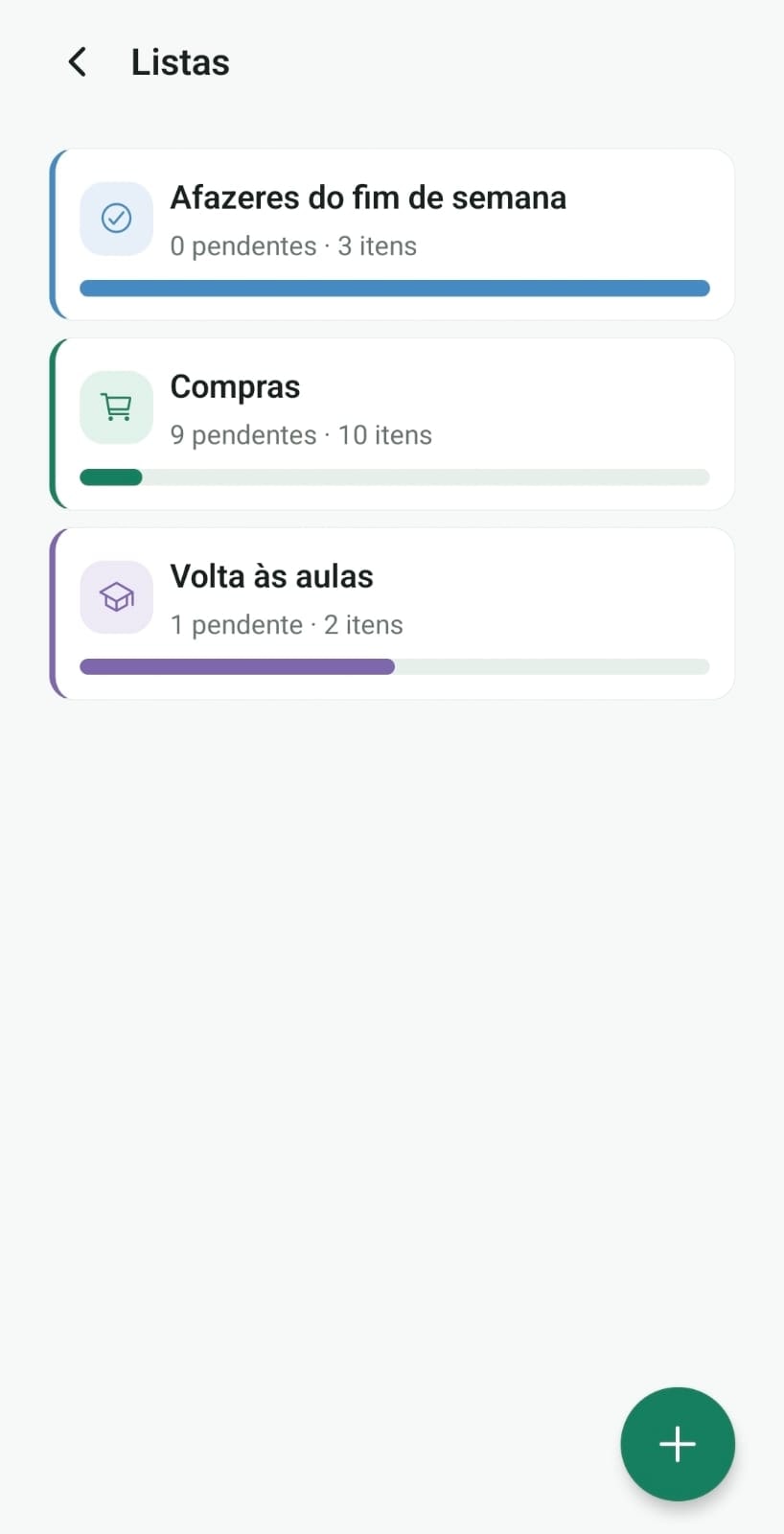
Shopping, tasks, and checklists with visible progress
Market, school, or weekend lists with pending items and who checked them off. Built for the phone in your hand at the store.
Feature
Meal plan
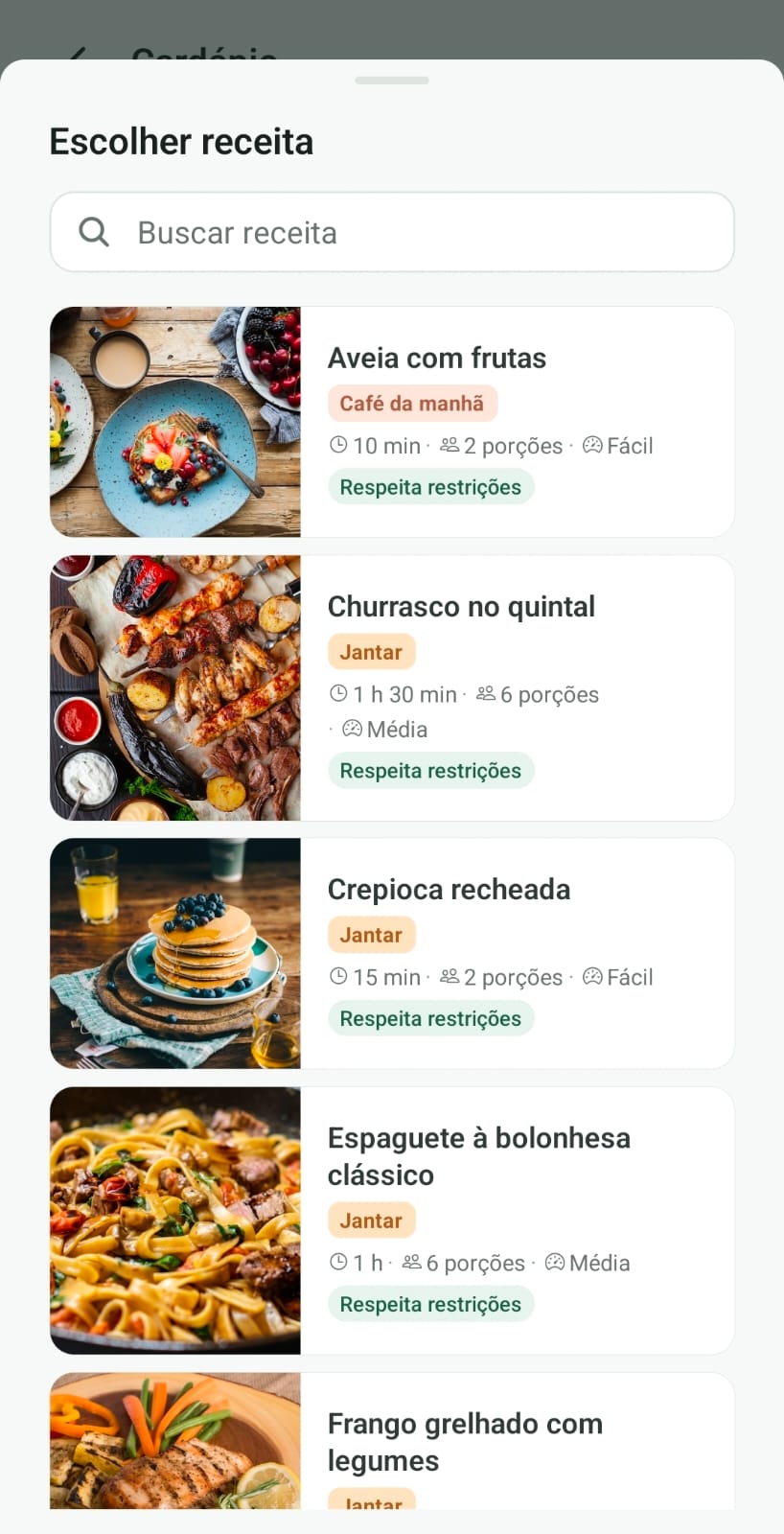
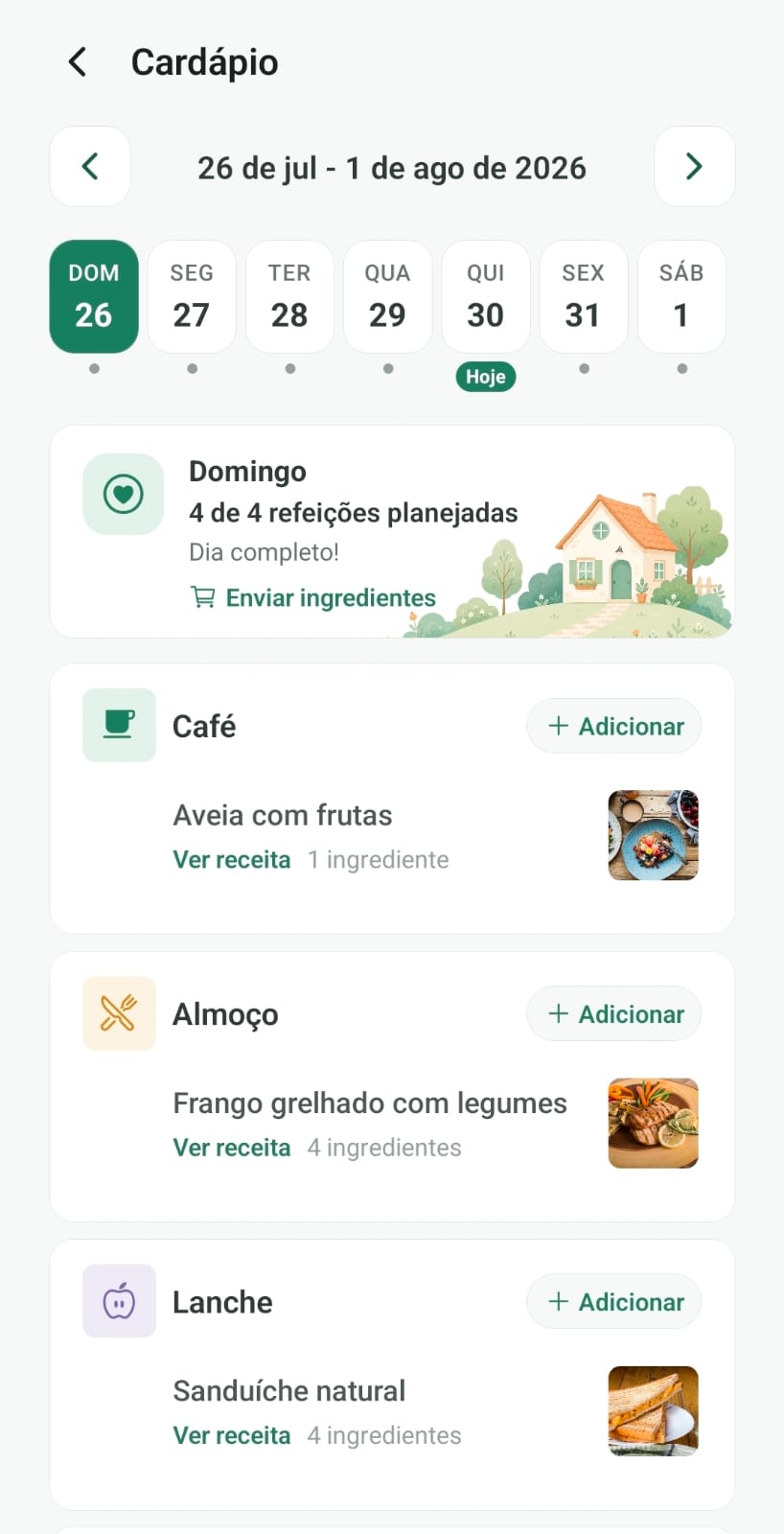
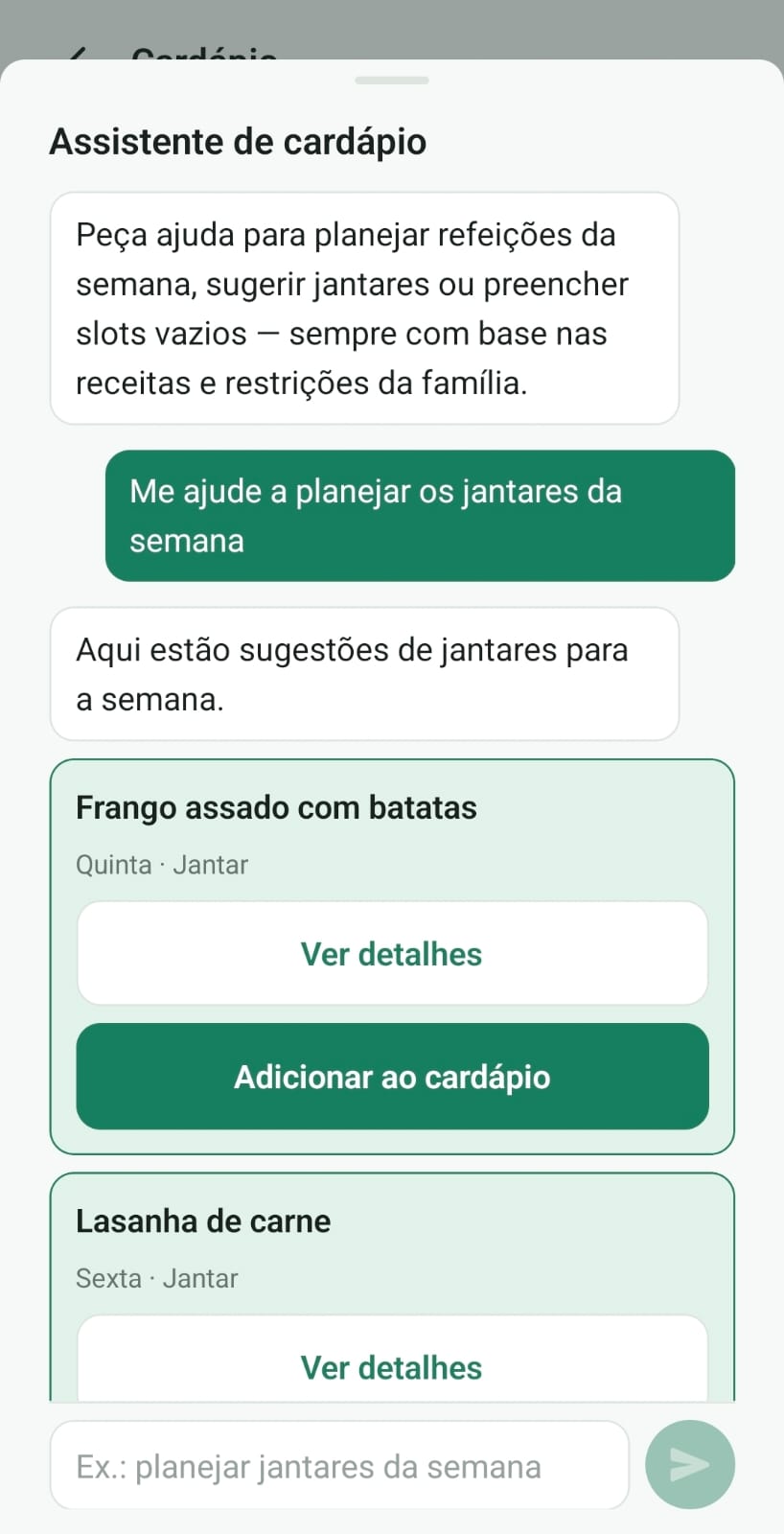
Weekly meal planning for the household
Plan breakfast, lunch, and dinner for the week together. Fewer last-minute decisions and more clarity about what's for dinner.
Feature
Recipes
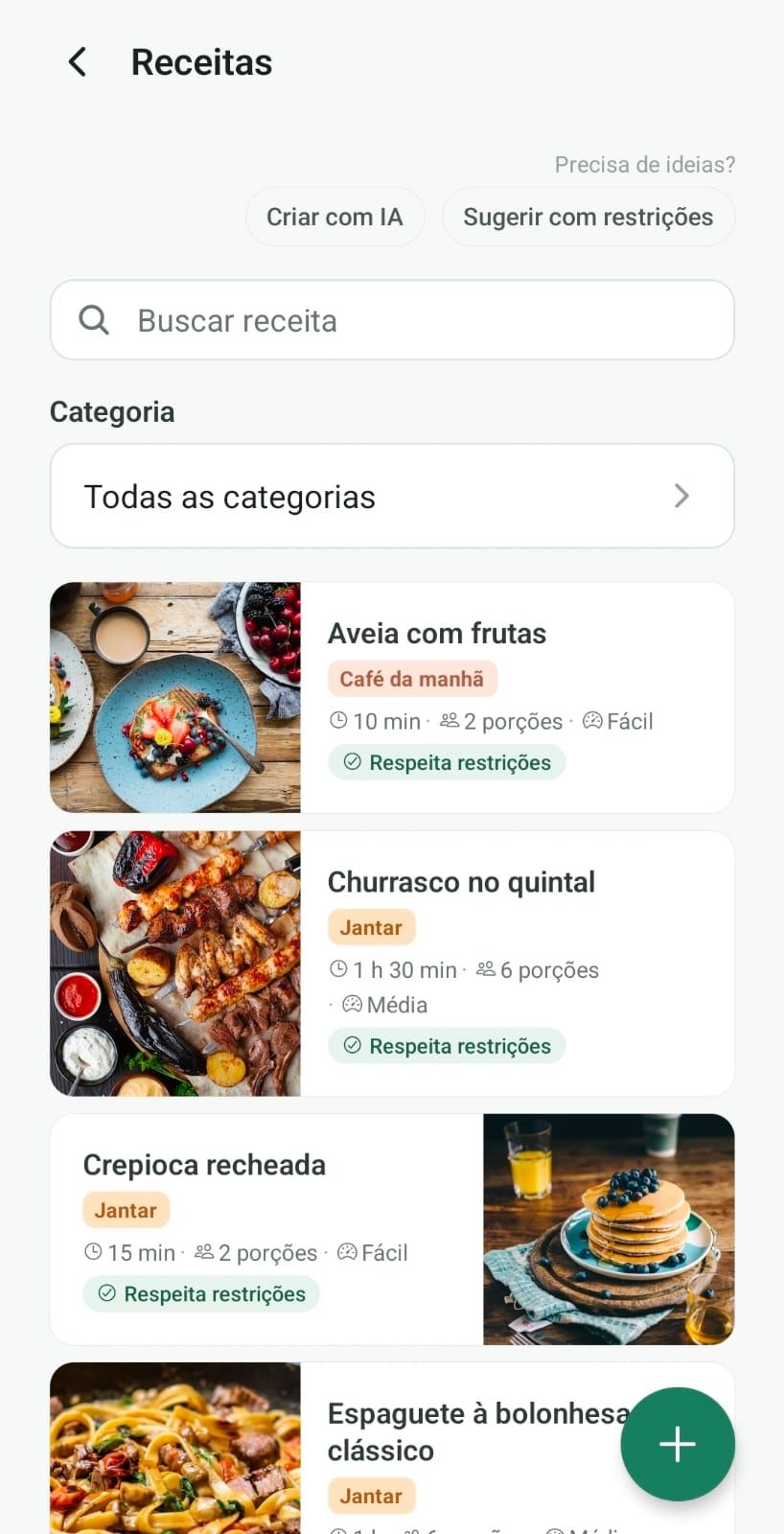
Family dishes with time, servings, and care
Keep favorite recipes and suggestions that respect allergies and preferences on file. From classic dishes to quick weeknight meals.

Feature
Board
Pinned notes that don't vanish in chat
Household alerts, reminders, and decisions live on a shared board. What needs action can be pinned; the rest stays findable without digging through WhatsApp.


Feature
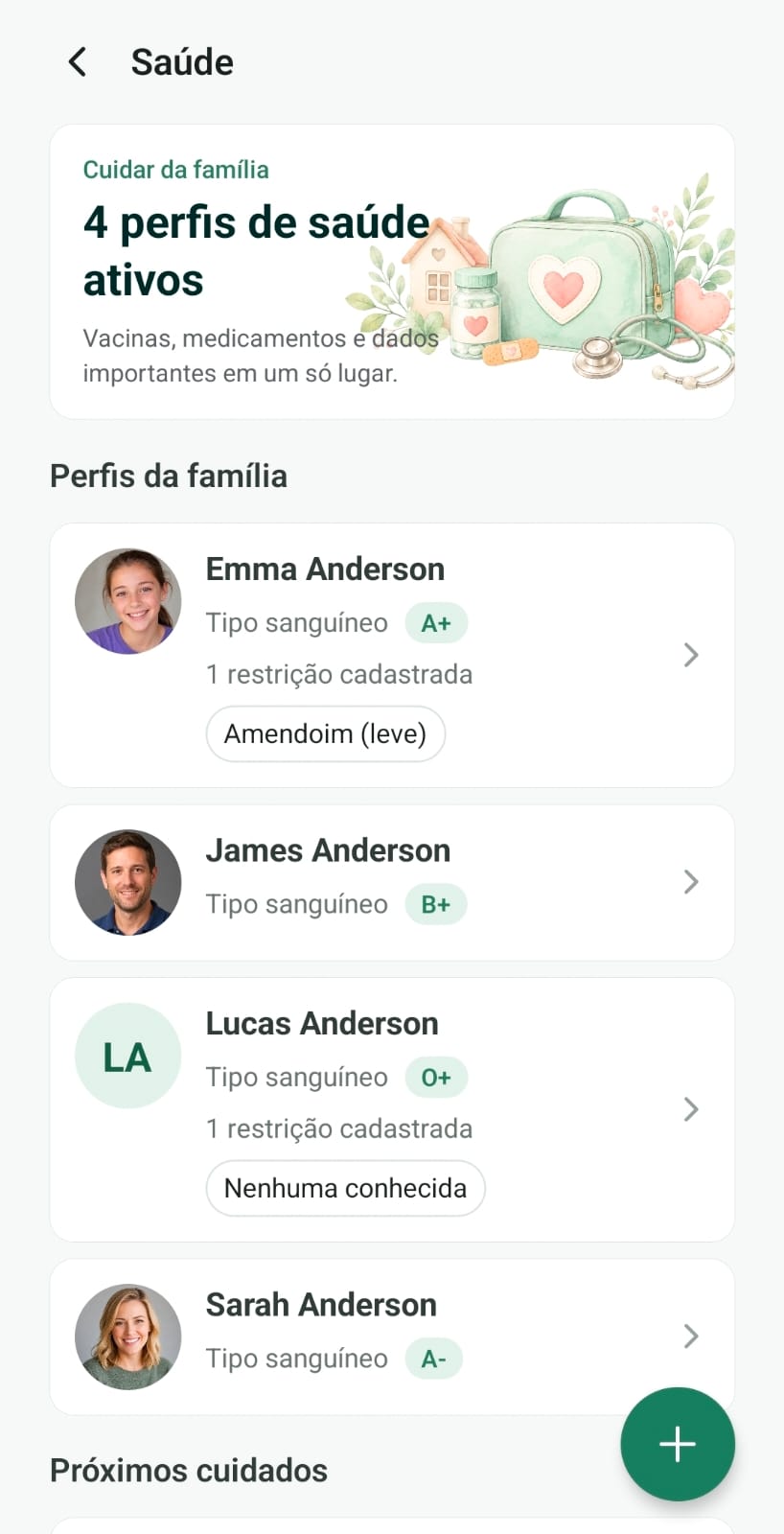
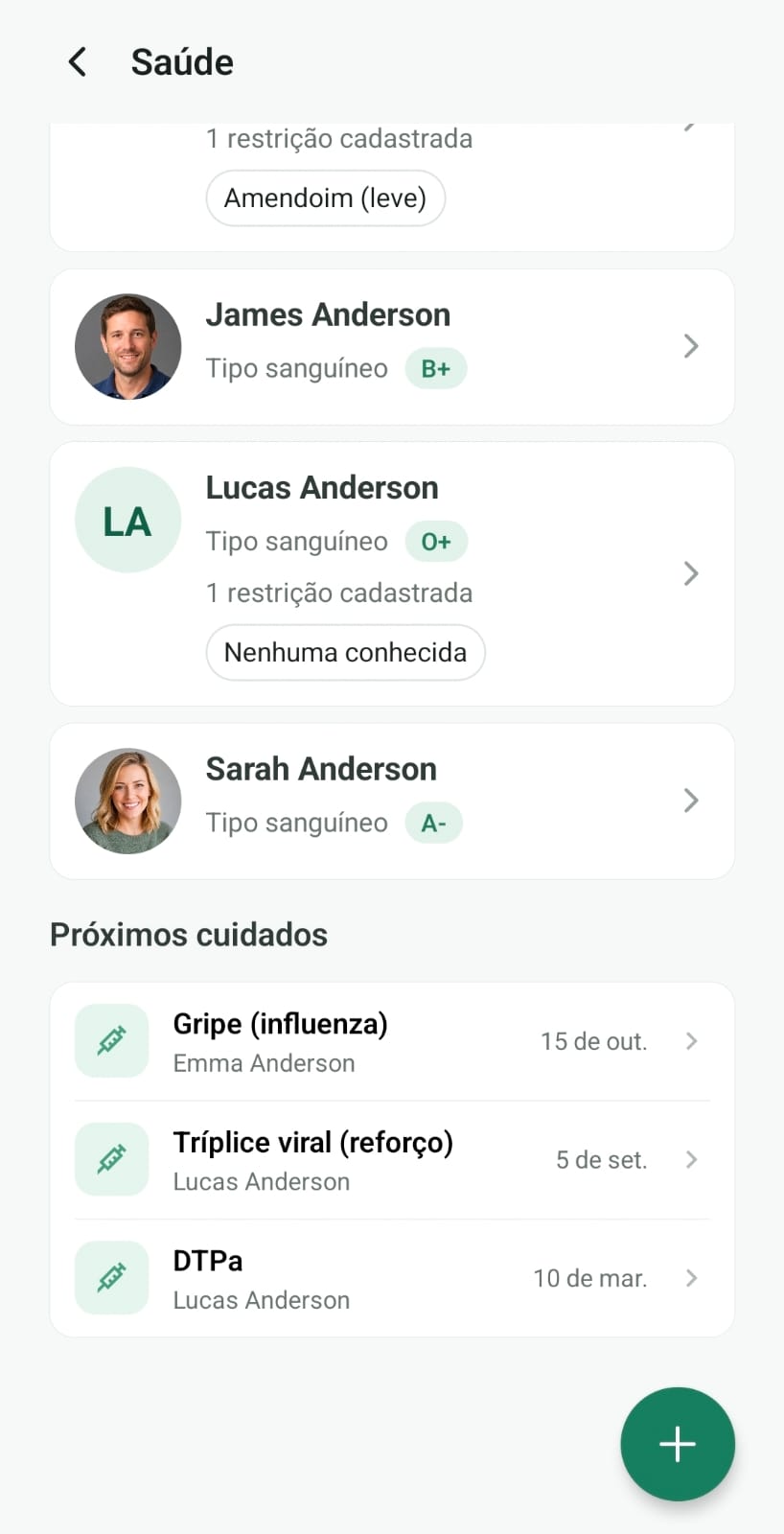
Health
Allergies, meds, and vaccines per person
Each member has a health profile with what matters day to day: restrictions, timed medications, and vaccines. Sensitive info, kept in the family scope.

Feature
Allowance
Chore rewards with a balance the child can see
Attach an amount to a chore. The child finishes it, an adult confirms, and the money lands in Allowance. Cash payouts and corrections stay in the history, without erasing what already happened.



Feature
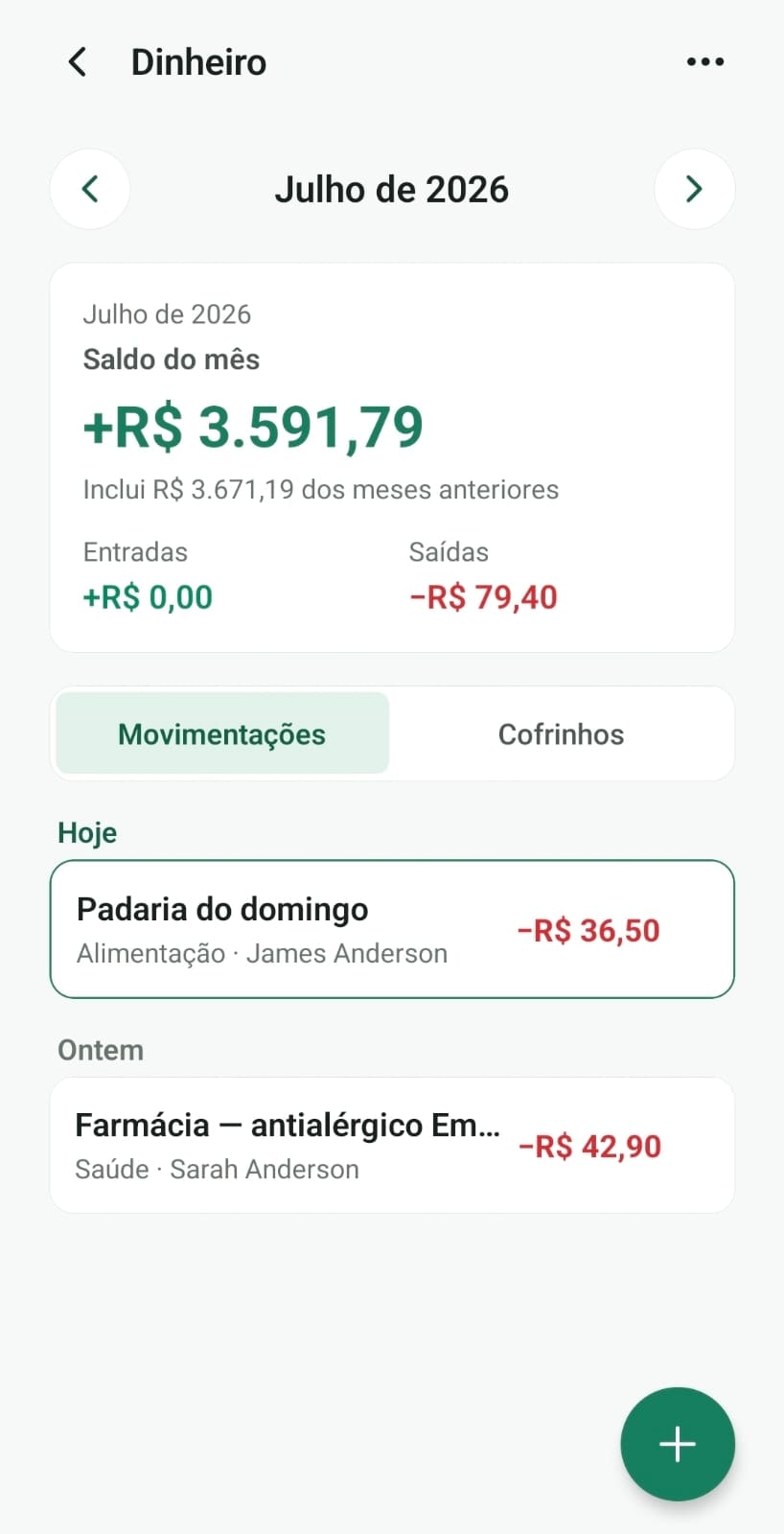
Money
Income, spending, and shared savings goals
Track the month, log shared expenses, and save toward goals together. Transparency without turning home into a cold spreadsheet.

Feature
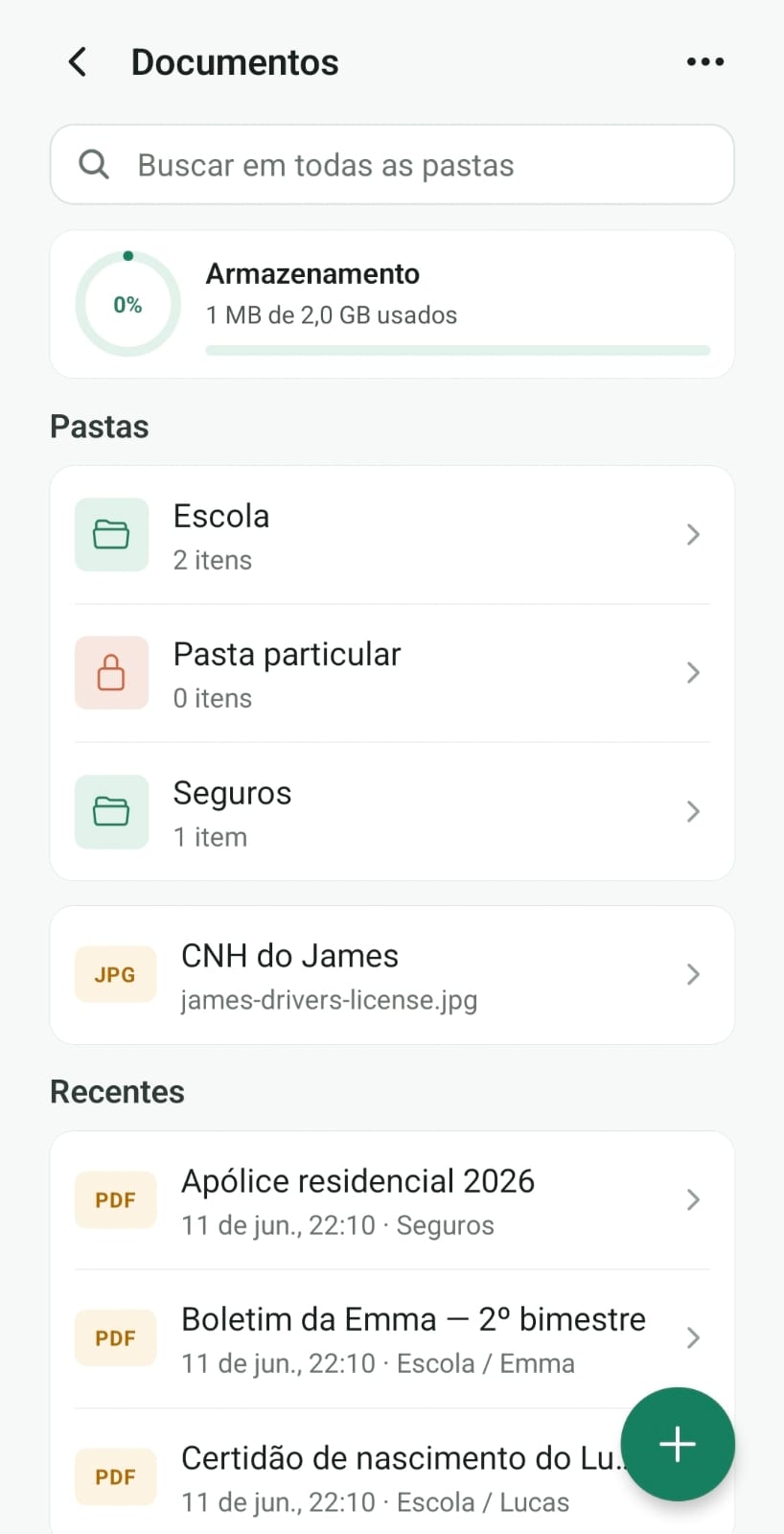
Documents
Important household files, easy to find
IDs, cards, policies, and bills organized in folders, with search when someone needs a file right away. No more lost photos in the camera roll.
Feature
Contacts
School, doctors, services, and emergency
Pediatrician, plumber, grandma, and school in one place, with call and message in one tap. Built for whoever keeps the house moving.


Feature
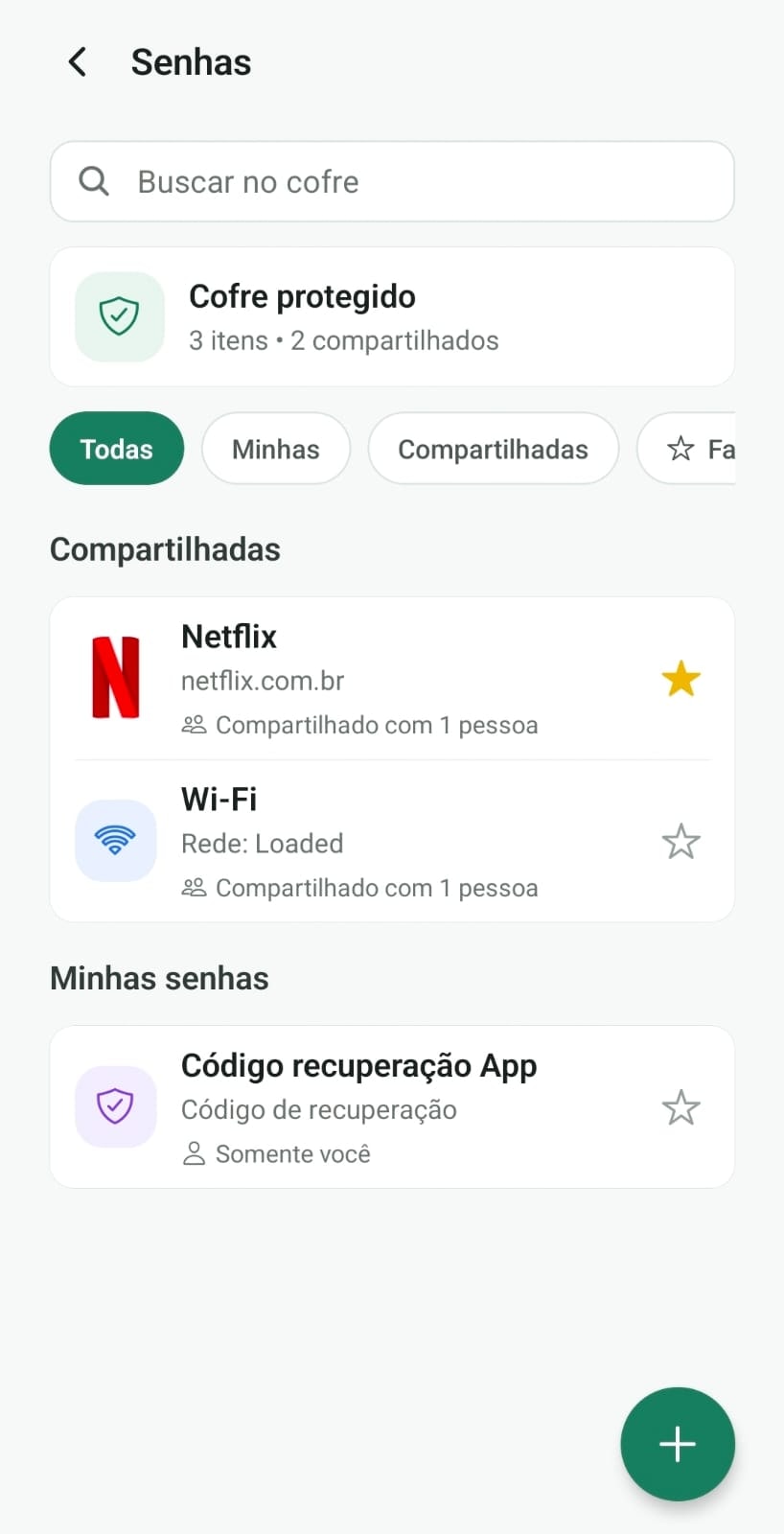
Passwords
A family vault for household credentials
Wi‑Fi, streaming, and shared logins live in a protected vault designed for the household. Fewer fridge sticky notes, more care with sensitive access.

Feature
Places
Map and important family places
School, work, clinic, and routine spots stay marked to orient the day. Simple geographic context, without complicating life.


Ready to stop using WhatsApp as your family calendar?
Create a shared home, invite the people in your routine, and let CoHome help with lists, chores, notes, and safe recipes for everyone.
- No card required
- Takes less than 2 minutes
- Start with a list or appointment